




A growing number of companies — both large and small — are walking away from Salesforce. The reasons are consistent: unexpected costs that skyrocket at renewal, support that relies on chatbots instead of real people, and usage limits that quietly throttle growth.
Salesforce's advertised price rarely reflects actual cost. Add-on modules, storage overages, support upgrades, and renewal price hikes inflate the true cost of ownership far beyond what was budgeted during the initial purchase decision.
Salesforce's support is frequently cited as its biggest weakness — slow ticket queues, chatbot-first responses, and issues that remain unresolved for days or weeks while your team's productivity suffers and customers wait for answers.
Low storage and usage limits create real operational bottlenecks as businesses grow. Salesforce charges aggressively for storage overages, creating a punitive cost structure that penalizes success rather than enabling it.
Simple configuration changes that should take minutes require expensive Salesforce developer resources or consultant engagements, creating dependency on outside parties just to keep the platform aligned with your evolving business processes.
Salesforce's modular architecture means critical data scatters across disconnected apps — Sales Cloud, Service Cloud, Marketing Cloud — creating integration overhead, sync delays, and a fragmented view of the customer that undermines every team's effectiveness.
Salesforce's licensing model adds complexity and cost at every stage of growth. Adding users, upgrading features, or expanding to new teams invariably triggers expensive contract renegotiations that consume management time and budget.
Salesboom was founded as a direct Salesforce alternative, designed from the ground up to give businesses a powerful, affordable, and genuinely supported cloud CRM. For over 22 years, Salesboom has helped companies escape vendor lock-in and regain control of their customer data and processes.
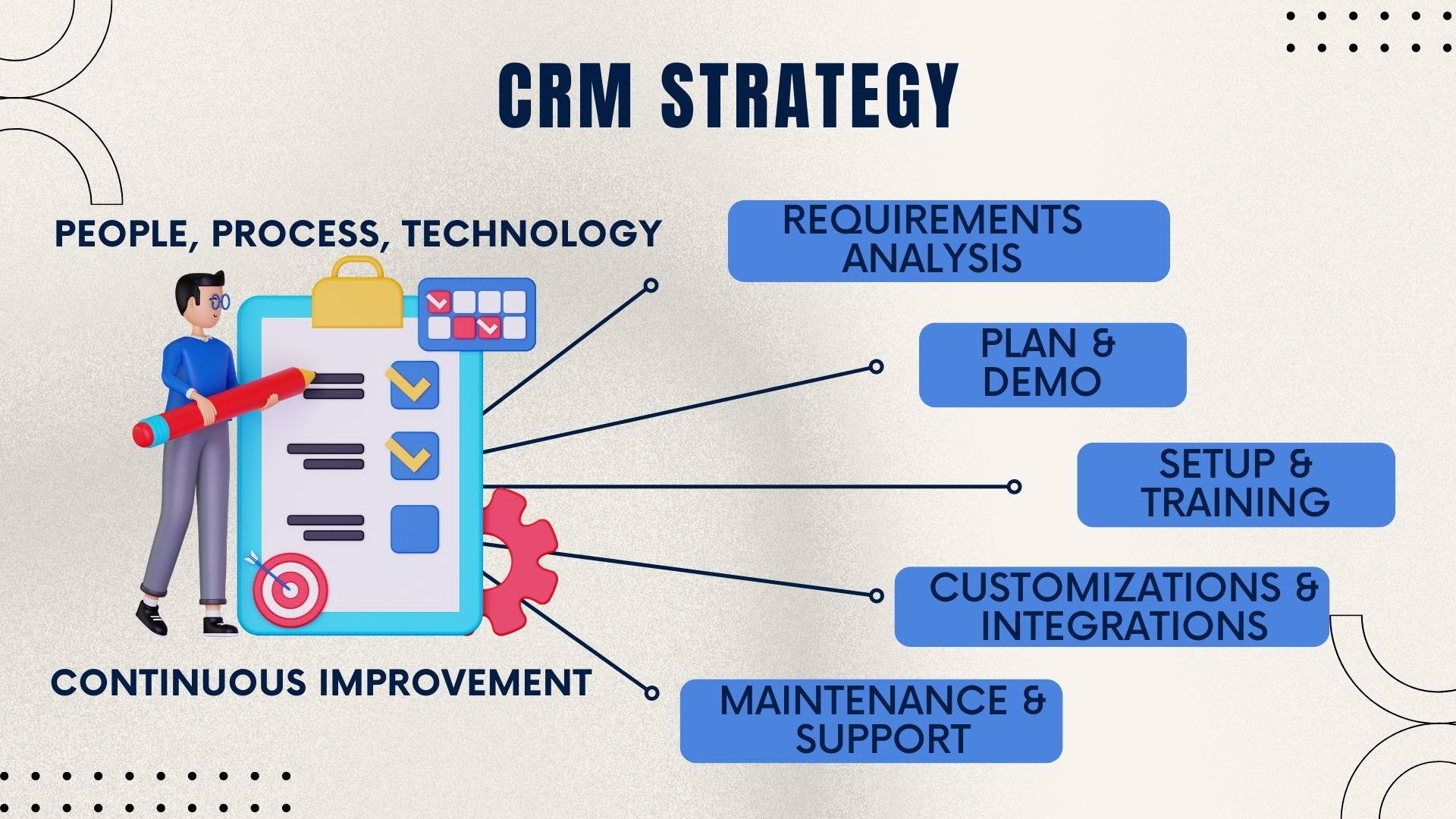
Salesboom has refined a structured 10-step CRM implementation process that guides businesses from initial planning through go-live and beyond — ensuring nothing is missed, every team member is prepared, and the rollout stays on schedule.
Map out who will use the CRM, what their roles are, and how information should flow between teams. This critical first step shapes every configuration decision that follows and prevents rework later in the process.
Define permission levels, data visibility rules, and access rights for each user type. Proper access control protects sensitive data and keeps teams focused on the information that is relevant to their specific role.
Audit your existing Salesforce setup to identify required fields, essential tabs, active workflows, and integrations. This review ensures nothing valuable is left behind during migration and surfaces any complexities early.
Configure your Salesboom environment and create a detailed map of how your Salesforce data will transfer into Salesboom's structure. The Magic Migration Button then executes this plan automatically with zero manual intervention.
Translate your existing business processes into Salesboom's workflow engine. Automate the steps your team currently handles manually to increase efficiency from day one and eliminate the manual workarounds that slowed your Salesforce experience.
Run thorough testing with real data scenarios before going live. Validate automations, test user permissions, and confirm all integrations function as expected in a controlled environment before the entire team depends on the system.
Salesboom delivers structured training at three levels: Administrative Training for system managers, Train the Trainer for internal CRM champions, and User Training for the full team. Everyone goes live prepared, confident, and effective from the first day.
Confirm the go-live date with all stakeholders, finalize any last configurations, and ensure the full team is ready and aligned before launch. A confirmed date creates shared accountability and eliminates ambiguity about timelines.
Launch your new Salesboom CRM with Salesboom's team standing by. The structured preparation from Steps 1 through 8 ensures a smooth, disruption-free go-live day that your team will experience as a seamless transition rather than a chaotic change.
Salesboom actively monitors your implementation for the first week post-launch to catch any edge cases, address user questions quickly, and ensure adoption is on track. You are not left to figure things out alone after launch day.
Salesboom's proprietary migration tool was purpose-built for Salesforce.com's data architecture. It handles the most complex part of the switch automatically — transferring your contacts, accounts, opportunities, custom fields, and full history with zero manual steps and full data integrity validation before and after transfer.
Migrating from Salesforce is not just about escaping a bad experience — it is about gaining a better one. Salesboom delivers capabilities that Salesforce charges extra for, bundled into one affordable, transparent plan.
Choosing the right Salesforce alternative comes down to value, support, and long-term fit. Here is how Salesboom compares on the factors that matter most to growing businesses.
Salesboom starts at $14 per user per month with no hidden fees, no storage penalty charges, and no surprise invoices at renewal — a stark contrast to Salesforce's notoriously complex and escalating pricing model that catches businesses off guard at every contract cycle.
Salesforce support is frequently cited as its biggest weakness. Salesboom's People-as-a-Service model guarantees access to live CRM specialists 24/7 — not chatbots, not outsourced ticket systems, but real experts who are accountable for resolving your issues fast.
The 10-step implementation process and Magic Migration Button get businesses fully operational faster than a typical Salesforce implementation — often in days rather than months, with a structured rollout that eliminates the costly false starts common in enterprise CRM migrations.
Salesboom's open data policies mean you own your data and can export it at any time — no hostage situations, no exit fees, no proprietary formats designed to make leaving painful. Your data is yours, and Salesboom earns your loyalty through quality rather than captivity.
Salesboom has been a cloud CRM pioneer since 2003, with an in-house development team that delivers quarterly updates and new features to all customers at no extra cost. The platform that migrates you today will be significantly more capable two years from now — at the same transparent price.
Over 3,500 businesses across 159 countries have chosen Salesboom as their CRM platform, including companies that successfully migrated from Salesforce. The track record spans two decades, multiple industries, and businesses at every stage of growth from startup to multinational enterprise.
Many companies hesitate to switch CRMs out of fear. But remaining on a platform that no longer serves your business carries its own compounding risks. Salesboom is designed to mitigate both the risks of switching and the risks of staying stuck.
The Magic Migration Button and 10-step process eliminate data loss and implementation failure. Your Salesforce data transfers automatically with full integrity validation — turning the most feared part of switching into a reliable, guided procedure.
Transparent pricing prevents the budget overruns and surprise fees Salesforce customers routinely face at renewal. Salesboom's flat, per-user pricing means finance teams can forecast CRM costs accurately for the first time in years.
Dedicated CRM specialists ensure issues are resolved quickly rather than lost in a support queue. Salesboom's People-as-a-Service model means your team always has access to a real expert who knows your configuration and can act on it immediately.
Structured training at the admin, trainer, and user levels ensures the full team uses the CRM correctly from day one. Higher adoption rates translate directly to better data quality, stronger pipeline visibility, and faster return on your CRM investment.
A full audit of your Salesforce environment before migration guarantees nothing is left behind. Every field, relationship, workflow, and history record is mapped before the Magic Migration Button executes — so the post-migration environment is a complete, accurate reflection of your Salesforce data.
A confirmed rollout date and one-week post-launch monitoring minimize business interruption. Salesboom's team is actively watching your environment in the critical first week, ready to address any edge cases before they affect customer-facing operations or team productivity.
Get clear, direct answers to the questions businesses ask most often when evaluating Salesboom as their Salesforce alternative and planning the migration process.
Discover how Salesboom's platform covers inventory management, quote management, billing automation, sales management, and detailed cost comparisons — all resources to help you make the best decision for your business.

Salesboom's inventory management capabilities connect stock visibility directly to your sales pipeline and quoting workflow. Explore Inventory Management and see how it eliminates the disconnect between your CRM and your product catalog after migrating from Salesforce.

Generate accurate quotes, apply discount and tax rules, and track quote-to-opportunity conversion — all within the CRM. Learn about Quote Management and understand how Salesboom's native quoting outperforms what Salesforce CPQ delivers at a fraction of the cost.

Salesboom's Sales Management Software gives managers complete pipeline visibility, rep performance tracking, and forecasting tools in one platform. Discover Sales Management Software and see how it replaces multiple Salesforce modules with a single, unified solution.

A comprehensive analysis of Salesforce's strengths, limitations, and the reasons businesses increasingly choose alternatives. Read the Salesforce CRM Discussion for an evidence-based view of why Salesboom consistently outperforms Salesforce on value, support, and ease of use.

A step-by-step walkthrough of the Salesboom migration process, covering the Magic Migration Button, the 10-step implementation, and the post-launch support model. Revisit the Migrating from Salesforce guide to share with stakeholders who need a clear picture of the transition process.

When you factor in Salesforce's storage fees, support tiers, and module add-ons, Salesboom's cost advantage becomes decisive. View the CRM Price Comparison and calculate the true total cost of ownership across both platforms before making your final decision.

Salesboom's billing and invoicing automation connects quotes, contracts, and payments directly inside the CRM — eliminating the manual steps that slow your revenue cycle. Explore Billing and Invoicing Automation and see what becomes possible once your financial workflows live inside your CRM.

Beyond the basics, Salesboom's advanced sales management tools cover territory management, rep scorecards, and AI-driven forecasting that give sales leaders the insight they need to coach effectively and close faster. Explore advanced Sales Management Software capabilities in depth.

Evaluating multiple CRM alternatives at once? The Salesboom versus ACT comparison covers pricing, features, migration paths, and support quality side by side. Read the Salesboom vs ACT comparison to build a complete picture of your options before committing to a new CRM platform.
Start your free 30-day trial today or speak directly with a Salesboom CRM specialist. Our Magic Migration Button handles the data transfer — you just need to make the call.
Call a CRM Specialist: 1-855-229-2043 | sales@salesboom.com
Discover powerful CRM editions to scale your business efficiently.
A complete CRM suite with Marketing Automation, ERP integration, and Support tools — built for performance and value.
Explore ProfessionalFor large enterprises — automate workflows, unify data, and leverage analytics to drive strategic growth.
View EnterprisePerfect for small teams starting with CRM — manage leads, track sales, and boost productivity with simplicity.
Discover Team