Best CRM Workflow & Business Process Automation Software
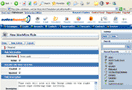
Salesboom’s Intelligent Cloud CRM Workflow & Business Process Automation software is comprised of many different subsets, all designed to give you the power and control over your CRM software system that you need to make the most productive workplace your business has ever seen. Everything is fully customizable – not the quasi-customizable options that our competitors offer – so you can make everything flow the way it needs to in order to create more efficiency and maximize your employees productivity. Lastly, we’ve created a CRM Workflow & Business Process Automation system that’s smart – something that’s been lacking in CRM applications now for a long time.

With our new Intelligent CRM workflow & business process automation software system, you’ll be able to rely on Salesboom to actually predict where you need records to go based on criteria that you pre-set, making sure that you never have routing or record assignment issues.
Intelligent Workflow Management Tools – Completely Customizable. You can set unlimited amounts of options and rules that work for your business. No matter what the data or record type, you can easily create automated alerts and notifications, both in the form of email and task creation if needed, data record conversion, duplication, assignment and re-assignment, and even change whether a record is private or public.
Automated CRM Response System – The Salesboom Automated Response System creates the communication foundation that you need to maximize productivity in your business. Based on fully customizable rules, Salesboom can now automatically respond to any inquiry sent, either by email or web-form. It can also send out automatic alerts to other processes in your business – like the closure of a customer support case, or the addition of new products or services. It works internally as well, allowing automatic responses and notifications for internal employees, pro-actively alerting users of potential out-of-stock situations, projection completions and much more.
Automatic Intelligent Routing and Assignment – Salesboom Cloud CRM software takes care of all your routing needs for you with its new CRM Workflow & Business Process Automation software system. You can pre-set an unlimited amount of criteria to tell Salesboom where you want records to go when they come into the system, so you never have problems with dataflow again. You can easily route new leads to sales representatives based on geographic location, re-route cases to senior support representatives based on length of time in the support queue, capture billing inquiries and push them directly to the right agent and more.
Salesboom Pre-Set Best Practices CRM Logic and Workflow – Not sure where to start? No problem! Salesboom has a pre-set Workflow Best Practices system all ready for you to get started with. See what parts work and which parts need fine tuning for your business needs, and adjust as necessary.
Salesboom Cloud CRM Workflow & Business Process Automation Software will raise your company's efficiency and streamline your entire business processes, starting with reducing time consumed on daily repetitive tasks and customization allows you to create automated tasks and assign it to proper users.
Our Cloud CRM with email templates allows you to personalize your own email template and send it automatically to keep in-touch with your clients. Also, Cloud CRM workflow enables creating automated responses in form of emails.
Having a CRM workflow & business process automation software will maximize your employee's productivity and increase your company's efficiency.
Our cloud CRM workflow and process automation allowing you easily creating personalized automated alerts and notifications such as an alarm to notify both sales manager with new leads and customer support manger with new critical cases.
In the other hand, notify sales manager with new leads and current deals situations, which is really helpful for them to know how many closed deals they have, and allow them to track the non-closed deals to close them faster as much as they can.
Salesboom cloud CRM workflow and process automation software will handle your organizational workload seamlessly and allow your organization to cater your customer’s needs and follow-up their desires through the automated feedback emails process.
Also, CRM workflow and process automation software system can be triggered when records are created or updated based on any number of field criteria and values.
Customizable automated processes can save your organization a huge amount of wasted time, effort and money, with Salesboom.com workflow & process automation you have the ability to customize and create your Sales Force Automation system to handle the workload problems that face your sales, marketing and support team.
So how can all these benefit your small business? Check out these real-world examples for a glimpse into the power of real intelligence in Cloud CRM!
Example: The Request for Information form on your website has been setup to capture leads directly from the internet into your Salesboom CRM system. An interested prospect visits your website from Hong Kong, and fills out the form wanting more information. Based on pre-set rules, the Salesboom system automatically routes the new Lead record to your Asia-Pacific sales team, and alerts the Sales Manager that a new lead has entered the system with an email. A Sales representative contacts the new prospect in the morning, and qualifies the lead. Once the lead is set to qualified, it is automatically assigned to a senior sales representative, and an opportunity is created for the senior rep to close.
Example 2: A customer sends an email to your support desk, because they’re having problems installing an update to the anti-virus software you supply. The email is automatically scanned by your Salesboom system, and based on pre-set rules, it routes it through to Technical Support, and directly to a representative that is an expert on the anti-virus software product that is offered. A new case is also created for the problem in Salesboom. The customer immediately gets an email back confirming that the case has been received, which technical support agent will be handling their request, and direct contact information for that representative. Once the technical support representative solves the problem and closes the case, a task is created for the Service & Support Manager to approve the solution. Once approved, an email is automatically sent to the customer with the details of the solution, and the case is converted from private to public read-only status, so all support representatives have access to it in the future.
Example 3: A paying customer writes an email to your technical support queue, but the real issue is that they have a billing problem, not a technical support problem. Salesboom automatically detects this based on keywords in the email, and re-routes the email to your billing department instead. It also automatically scans the accounts in your Salesboom CRM system, finds the appropriate existing account and creates a new case for them. The Salesboom CRM Workflow & Business Process Automation software system also identifies who the Account Manager is for this customer, and alerts that user via an email that one of their accounts has a new issue in the Billing Department queue. An email is automatically sent back to the customer, confirming receipt of the original email. The Account Manager contacts the Billing Department to solve the issue, and calls the customer back with the details of the solution. Once the customer approves the tabled solution, the Account Manager enters the details into the case, and a new task is created for a Billing Department representative to apply the solution and close the case. Once the case is closed, an automated email is sent to the customer with the details of the solution, and a task is created for the Manager of the Billing Department to approve the financial change in the contract.
Once you truly gain full visibility into your company's business processes, you'll never want to go back to the dark again. We guarantee it. Take a Free CRM Software 30-day Trial today, or contact us directly for more information: 1.855.229.2043 (1.855.229.2043) or via e-mail at sales@salesboom.com.