




Most CRM projects don't fail because of technology — they fail because of skipped planning steps, unclear ownership, and poor data hygiene. Recognizing these pitfalls is the first step toward a successful rollout.
Without a designated Implementation Sponsor and Administrator, CRM rollouts stall. Undefined roles mean no accountability — and critical setup tasks fall through the cracks.
Configuring a CRM without mapped business processes turns it into a generic database. Without documented pipelines and workflows, customization becomes guesswork.
Importing unclean data — duplicates, inconsistent formats, missing fields — embeds errors from day one. These data quality issues compound over months and erode trust in the system.
Skipping the security → roles → profiles → users sequence creates permission conflicts that are difficult and time-consuming to untangle after data is already in the system.
Without internal trainers per department, users revert to spreadsheets and email after go-live. Adoption failure is the most common cause of CRM projects delivering no ROI.
Discovering third-party integration requirements after configuration is complete is the leading cause of CRM project overruns. Integration planning must happen in week one.
This guide has been developed to help you get started with Salesboom. Follow this structured approach to minimize risk, accelerate adoption, and deliver measurable results from day one.
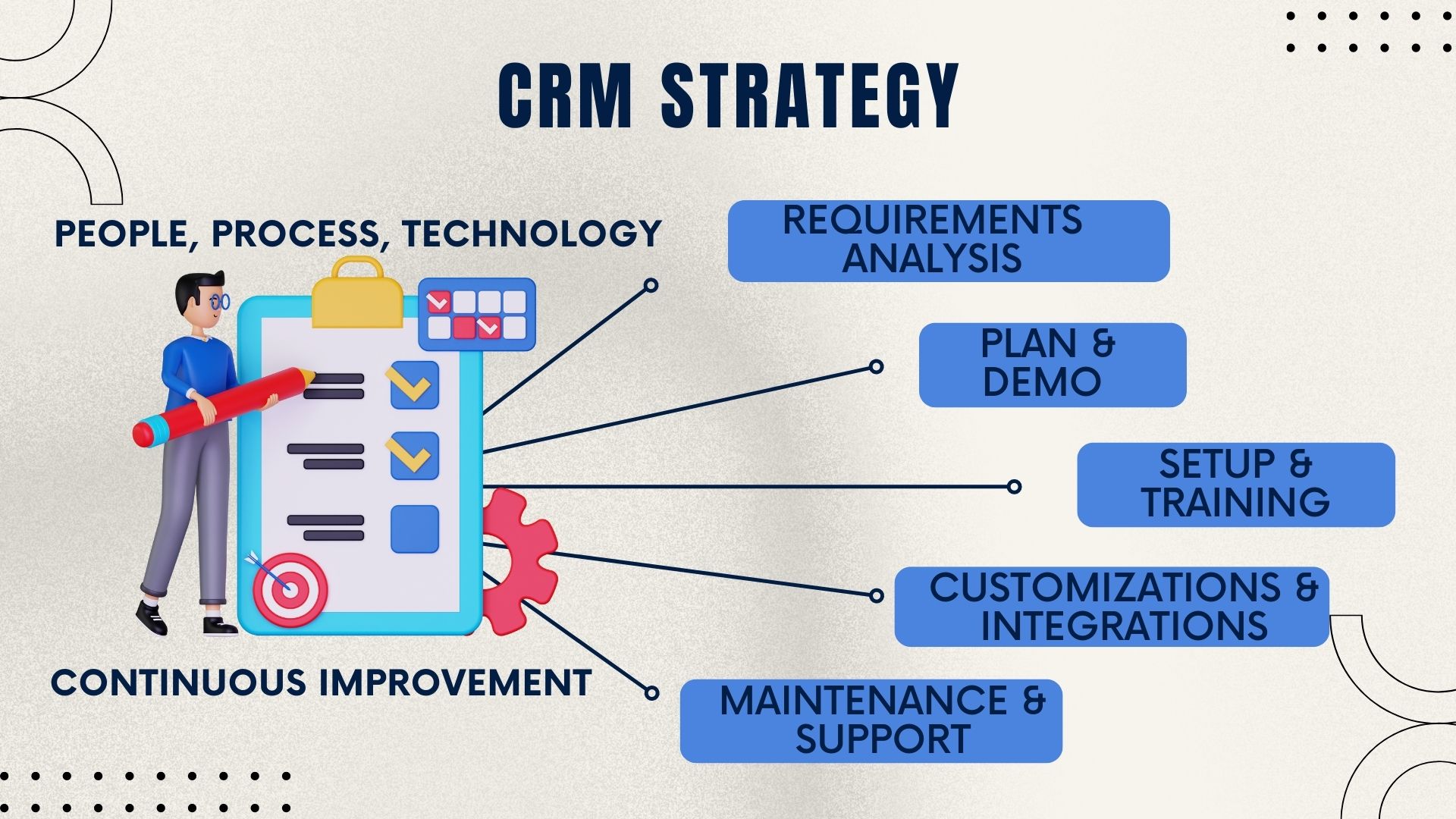
With your data live in the system, the final phase transforms Salesboom from a data repository into a business performance engine — through visibility tools, automation rules, and seamless integrations.
With 22+ years of CRM innovation, Salesboom delivers implementation advantages that competitors cannot match — from no-code administration to real human support available around the clock.
Administrators with zero technical background can fully configure the platform using drag-and-drop tools, making CRM implementation accessible and fast without expensive developer hours.
The Professional Services team offers the Fast Track Program and custom rollout options to accelerate go-live timelines — small teams can be live in as little as 1–2 weeks.
Native Outlook and QuickBooks integration plus an open API for connecting your existing business tools — no forced migrations or tool replacements required during implementation.
Predictable monthly pricing starting at $14/user with no hidden fees, no vendor lock-in, and no surprise costs during or after implementation — so budgeting is straightforward.
Dedicated CRM specialists available 24/7 to support your implementation team — not chatbots, not ticket queues, but real experts who know the Salesboom platform inside and out.
3,500+ businesses across 159 countries have successfully implemented Salesboom — making it one of the most trusted and battle-tested CRM platforms available globally.
Salesboom is architected to scale from small teams to enterprise organizations without requiring re-implementation or platform migration. Your investment grows with you.
Activate new functionality as your needs evolve — no re-implementation required as your business grows.
Industry-specific workflow templates accelerate deployment for vertical use cases, reducing setup time significantly.
Role-based permission structures grow naturally with organizational complexity as you add teams and managers.
API connectivity enables custom extensions as business requirements mature and new integrations become necessary.
Cloud infrastructure automatically scales to handle user and data volume growth without performance degradation.
Multi-language and multi-currency support enables seamless global team expansion without platform limitations.
AI-driven innovation delivered quarterly keeps your CRM current without disruptive upgrade projects or downtime.
Configurable dashboards and automation rules adapt to changing processes without requiring vendor involvement.
Most CRM implementations fail not because of technology — but because of skipped steps, poor planning, and low user adoption. Salesboom's framework directly addresses these risk areas.
Designate internal trainers per department early. Peer-led training consistently outperforms vendor-only approaches in driving long-term CRM adoption across the organization.
Never skip the data cleanse phase. Importing dirty data embeds errors that compound over months and erode trust in the system — making future correction exponentially harder.
Lock business objectives and processes in writing before any configuration begins. Undocumented scope changes are the leading cause of delayed CRM go-lives and budget overruns.
Follow the security → roles → profiles → users → customization sequence without shortcuts. Out-of-order setup creates permission conflicts that are difficult and costly to unwind.
Involve developers or IT specialists early if third-party integrations are required. Late-stage integration discovery is the most common cause of CRM project overruns and missed go-live dates.
Document every customization decision in a living configuration log so future administrators can maintain the system confidently — without depending on the original implementer.
Clear answers to the most common questions businesses ask before and during a Salesboom CRM implementation — from timelines to technical requirements.
Explore plans, timelines, licensing guidance, and security documentation to complete your Salesboom CRM implementation with confidence from day one.

Before you go live, understand exactly what protections your business is entitled to. Our CRM Service Level Agreement covers uptime guarantees, support response times, and data ownership rights.

Keep your project on track with a visual milestone view. The implementation timeline chart maps every phase from kickoff to post-launch support.

Learn the essential steps to successfully implement and launch your CRM system with the CRM Implementation Guide — a practical resource for planning, deploying, and optimizing your Salesboom CRM.

Make confident purchasing decisions before your rollout begins. The CRM licensing FAQ covers edition differences, user minimums, and multi-year agreement options.

Address IT and compliance questions early in your implementation. Review data networking and security questions to satisfy internal stakeholders and auditors.
Talk to a Salesboom implementation specialist today and get a tailored rollout plan for your business. Contact us toll-free at 1.855.229.2043 or book a guided demo to see the platform in action.
Questions? Call: 1-855-229-2043
Discover powerful CRM editions to scale your business efficiently.
A complete CRM suite with Marketing Automation, ERP integration, and Support tools — built for performance and value.
Explore ProfessionalFor large enterprises — automate workflows, unify data, and leverage analytics to drive strategic growth.
View EnterprisePerfect for small teams starting with CRM — manage leads, track sales, and boost productivity with simplicity.
Discover Team