




Most CRM platforms deliver one-size-fits-all dashboards that overwhelm users with irrelevant data or force them to dig through multiple reports to find what they need. Salesforce.com is a prime example — its dashboards lack the granular personalization and instant drill-down access that modern sales and service teams require.
Generic dashboards surface metrics that apply to everyone and therefore serve no one well. Sales reps wade through executive-level pipeline overviews while managers hunt for individual performance data — every login becomes a navigation exercise rather than a decision-support moment.
When dashboard data doesn't update in real time, managers base decisions on information that may already be hours or a full business day out of date. In fast-moving sales environments, stale reporting creates missed opportunities and reactive rather than proactive leadership.
Most CRM dashboards are dead ends — you see a number, but clicking it does nothing. To understand what's driving a metric, users must leave the dashboard, open a reports module, construct a new query, and wait for results — a process that can take 10 minutes for information that should take 10 seconds.
When dashboards aren't configured around individual users' roles and KPIs, people stop checking them. Low dashboard adoption is one of the primary drivers of low CRM adoption overall — creating a negative cycle where the system that should drive performance instead gets bypassed in favor of spreadsheets.
Without real-time, role-appropriate dashboards, sales managers lose the visibility they need to coach effectively, forecast accurately, and intervene before deals stall or metrics deteriorate. By the time a problem surfaces in a scheduled report, it may already be too late to act on it.
When self-service dashboards can't answer basic business questions, teams resort to requesting custom reports from analysts or IT — creating a bottleneck that slows decision-making across the organization and consumes skilled resources on work that automated reporting could eliminate entirely.
Salesboom's CRM Dashboard Reporting engine delivers a personalized quick-reference dashboard to every user, visible in real time directly from their homepage. Unlike Salesforce.com, where dashboard customization is limited and generic, Salesboom configures dashboards to the individual user's role, responsibilities, and KPIs.
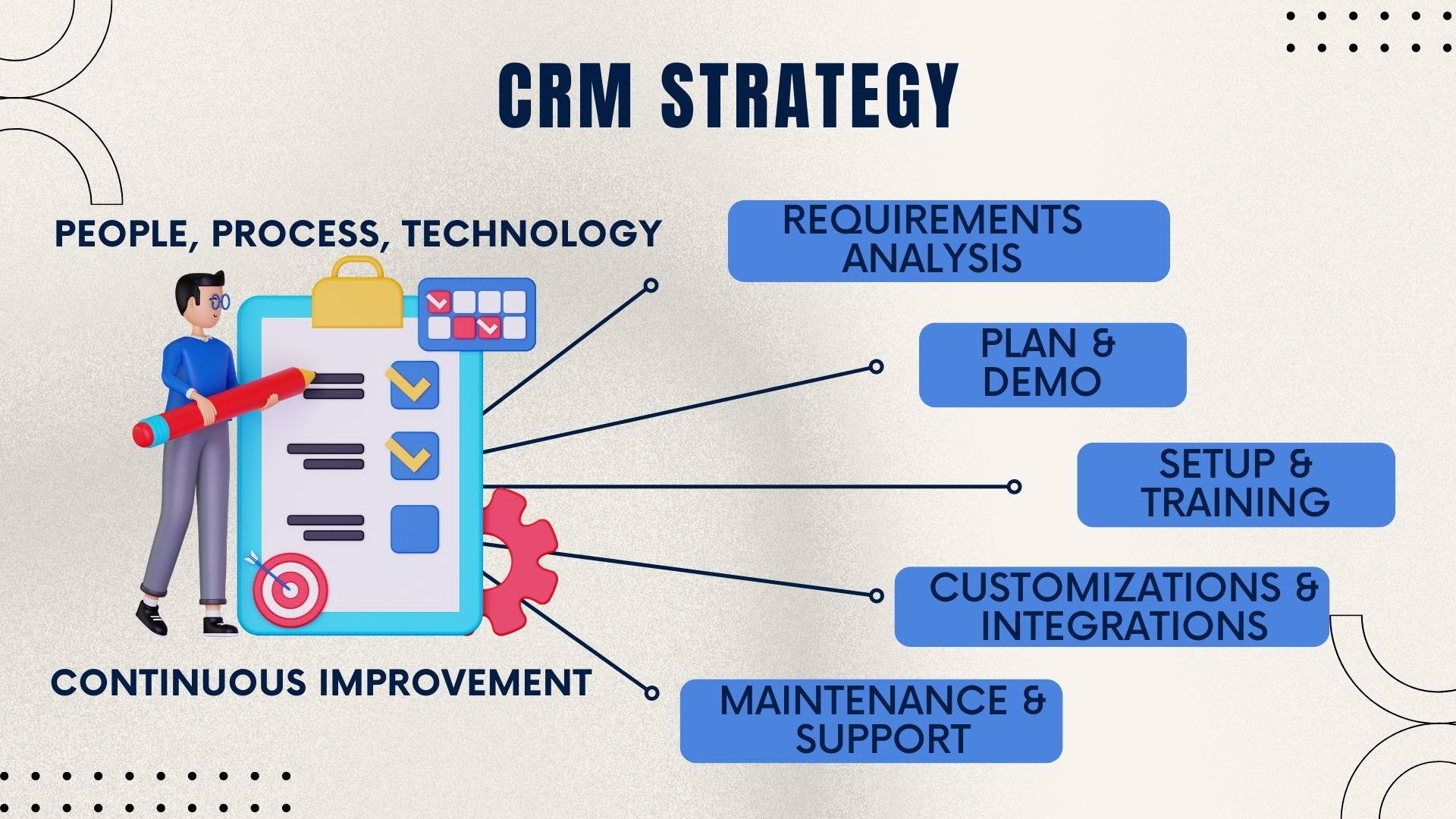
When you compare CRM software side by side, Salesboom's reporting architecture delivers measurable advantages that translate directly into faster decisions and better outcomes across every department in your organization.
With 22+ years of CRM innovation, Salesboom has built a platform that prioritizes usability, personalization, and performance. Our dashboard reporting capabilities reflect a deep understanding of how different roles consume data differently.
Sales, service, and marketing reporting all live in one platform — no data silos, no separate BI tools required, and no reconciliation between disconnected modules. Every dashboard pulls from a single source of truth, ensuring that every team member is always working from the same accurate, up-to-date numbers.
Full dashboard reporting capabilities are included from day one starting at $14 per user per month — with no hidden fees for advanced features, no premium tier required to unlock drill-down, and no separate analytics module to license. What you see in the price is what you pay, always.
Real CRM specialists help configure and optimize your dashboards — not chatbots, not ticket queues. When your team needs help setting up role-based views or troubleshooting a reporting issue, you speak directly with a certified expert who knows your configuration and can act on it immediately.
Over 3,500 businesses across 159 countries rely on Salesboom's reporting to run their day-to-day operations and make strategic decisions. The platform's dashboard reporting capabilities have been refined through two decades of real-world use across industries, company sizes, and reporting complexity levels.
Quarterly platform updates add new reporting features, AI-powered insights, and integrations at no extra cost. Salesboom customers always benefit from the latest reporting capabilities without additional licensing, upgrade fees, or disruptive migrations — the platform that serves you today will be significantly more capable a year from now.
When businesses compare CRM software on dashboard reporting, Salesboom consistently delivers more granular personalization, faster data access, and genuine one-click drill-down capability — all at a lower total cost of ownership than Salesforce.com's comparable feature set across any plan tier.
When businesses compare CRM software, dashboard reporting capabilities often become the deciding factor. Here is how Salesboom stacks up against Salesforce.com on the dimensions that matter most to modern sales and service teams.
| Dashboard Reporting Feature | Salesboom | Salesforce.com |
|---|---|---|
| Role-based dashboards | ✅ Customized per individual user | ⚠️ Limited personalization |
| One-click drill-down | ✅ Available on all metrics | ❌ Not available |
| Real-time data updates | ✅ Live, always current | ⚠️ Dependent on plan / tier |
| Homepage dashboard visibility | ✅ Visible on login | ⚠️ Requires navigation |
| User-level customization | ✅ Down to individual user | ⚠️ Primarily role / group level |
| Unified cross-department reporting | ✅ Sales, service, and marketing in one | ⚠️ Separate Cloud modules |
| Advanced reporting pricing | ✅ Included from $14/user | ⚠️ Higher tiers required |
Upgrading your CRM dashboard reporting capabilities is not just a technical improvement — it drives real business outcomes across every department and every level of your organization.
Leaders act on real-time data instead of waiting for scheduled reports or manually refreshed exports. When the dashboard shows pipeline health, conversion rate, or support volume right now, management can respond to changes in the business hours or days faster than Salesforce.com users can.
Users engage far more with dashboards built around their specific role and needs. When a sales rep logs in and immediately sees their quota progress, their open deals, and their follow-up tasks — rather than an executive-level pipeline summary — they use the CRM more consistently and enter data more accurately.
When individual performance metrics are visible, trackable, and drillable by managers and team leaders, accountability improves naturally. Sales reps know their activity is visible, managers can coach proactively rather than reactively, and the entire organization develops a stronger performance culture built on transparent, real-time data.
Automated, self-service dashboards eliminate the manual report requests that typically flow to IT or analytics teams. When every user has a live, role-appropriate dashboard with drill-down capability, the volume of ad hoc report requests drops dramatically — freeing skilled analysts to focus on strategic work rather than recurring data extraction.
Real-time pipeline visibility improves forecast accuracy by giving sales managers a current, granular view of deal stages, probability, and rep activity at any moment in the quarter. Decisions about resource allocation, coaching, and deal acceleration are made on live data rather than week-old snapshots from a static report.
Shared dashboards keep sales, service, and marketing working from the same data — eliminating the version conflicts and narrative disputes that arise when teams report from different sources. When a customer escalation affects both support SLAs and renewal pipeline, both teams see the impact simultaneously and can coordinate immediately.
Get clear, direct answers to the questions businesses ask most often when comparing Salesboom's dashboard reporting capabilities against Salesforce.com and evaluating CRM software alternatives.
Discover how Salesboom's platform extends beyond dashboard reporting to cover sales management, billing automation, inventory management, and detailed competitor comparisons.

Considering ACT! as an alternative to your current CRM? The Salesboom vs ACT! comparison breaks down total cost of ownership, collaboration features, and scalability side by side. Read the Salesboom vs ACT! comparison and see why thousands of small businesses chose Salesboom as their cloud CRM upgrade from desktop contact management.

Dashboard reporting is most powerful when it sits on top of a complete sales management foundation. Salesboom's Sales Management Software gives managers full pipeline visibility, rep performance tracking, and forecasting in one platform. Explore Sales Management Software and understand how it feeds the live data your dashboards depend on.

Not sure which Salesboom edition delivers the right level of dashboard reporting for your team size and budget? The edition comparison breaks down every capability across Team, Professional, and Enterprise tiers. View the CRM Edition Comparison to find your ideal starting point for role-based dashboard reporting.

A comprehensive, honest analysis of Salesforce.com's strengths and the reporting limitations that lead businesses to seek alternatives. Read the Salesforce CRM Discussion to understand the specific dashboard and reporting gaps that make Salesboom's contextual, drill-down approach a material competitive advantage.

Ready to leave Salesforce's reporting limitations behind for good? The Salesboom migration guide covers the full transition process — including the Magic Migration Button and 10-step implementation — so your team lands on Salesboom's superior dashboard reporting platform with zero data loss. Explore Migrating from Salesforce.

When advanced reporting capabilities in Salesforce.com require higher-tier plans, the true cost gap widens significantly. The full CRM price comparison gives you an apples-to-apples look at total cost of ownership across multiple platforms. View the CRM Price Comparison before making your final platform decision.

Dashboard reporting on revenue performance is most accurate when your billing and invoicing data lives inside the same CRM. Salesboom's billing automation connects quotes, contracts, and payments to the same platform your dashboards report from. Explore Billing and Invoicing Automation and see how it enriches your financial reporting dashboards.

When inventory data flows directly into your CRM, product availability and order status become reportable KPIs on your operational dashboards. Explore Inventory Management in Salesboom and understand how connected product data makes your sales dashboards more complete and more actionable for teams that sell physical products.

Automate recurring billing, subscription management, and multi-currency invoicing — and surface all of it on your Salesboom financial dashboards in real time. Discover advanced Billing and Invoicing Automation capabilities and see how revenue operations data integrates seamlessly with Salesboom's contextual dashboard reporting engine.
Compare Salesboom's real-time, role-based dashboards against Salesforce.com side by side. Book a free demo and discover what one-click drill-down can do for your team's speed and decision quality.
Speak with a CRM specialist: 1-855-229-2043 | sales@salesboom.com
Discover powerful CRM editions to scale your business efficiently.
A complete CRM suite with Marketing Automation, ERP integration, and Support tools — built for performance and value.
Explore ProfessionalFor large enterprises — automate workflows, unify data, and leverage analytics to drive strategic growth.
View EnterprisePerfect for small teams starting with CRM — manage leads, track sales, and boost productivity with simplicity.
Discover Team