




Email remains the most critical communication channel in business today — yet most CRM platforms treat it as an afterthought, forcing teams to juggle disconnected inboxes, external clients, and clunky plugins that create friction at every step.
Support agents miss new case alerts or status changes when email lives outside the CRM, leaving customers waiting and SLA thresholds quietly breaching with no one notified in time to respond.
Employees waste hours each week toggling between their CRM and email client — losing context, missing records, and creating a workflow that fragments attention at exactly the moment customers need it most.
Sales teams export data from the CRM, open a separate tool, and manually compose quote and invoice emails — a slow, error-prone process that delays transactions and creates version control risks.
When tasks are created in the CRM without automated email notifications, team members miss assignments entirely — creating accountability gaps, dropped handoffs, and deadlines that slip through the cracks.
Without a native CRM email system, customer email histories scatter across individual inboxes with no connection to contact or case records — making handoffs painful and customer context invisible to the team.
Salesforce charges separately for mass email tools like Pardot or Marketing Cloud. These escalating add-on costs add up fast — especially when equivalent functionality should be included in a modern CRM from day one.
Salesboom treats email as a first-class CRM feature — not a plugin or add-on. Every email capability your team needs is natively embedded in the platform, keeping data connected and teams informed at every step.
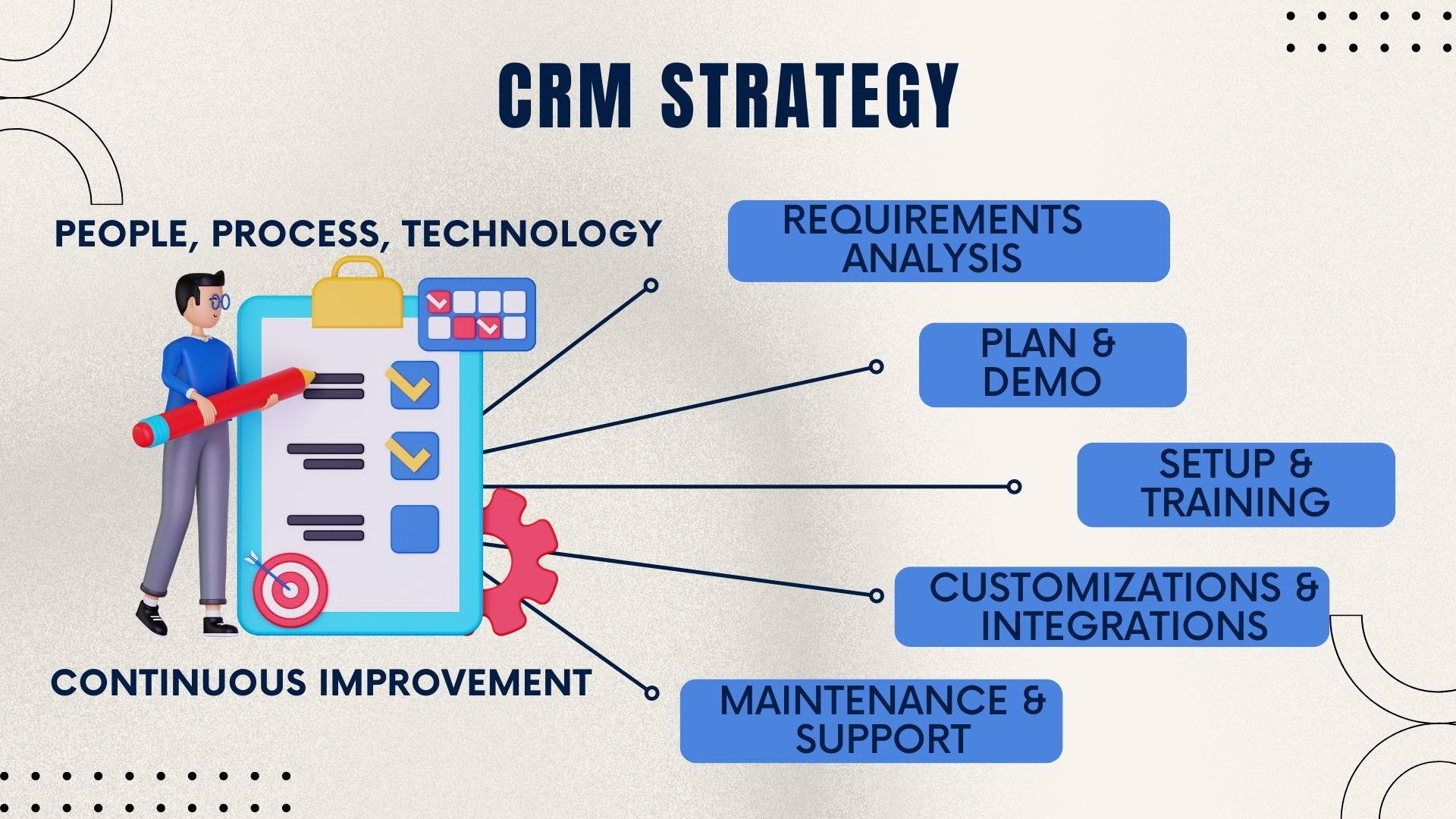
Salesboom's email functionality suite covers every communication need your team has — from individual customer threads to mass outreach campaigns and automated cross-team notifications, all natively inside the CRM.
With over 22 years of Cloud CRM software innovation, Salesboom built email functionality into the platform's foundation — not as an afterthought. Here's what that means for your team in practice.
Email isn't bolted on — it's built in. Every email is tied to a customer record, case, or opportunity, giving you complete context in a single view with zero manual logging and no data silos between your inbox and your CRM.
The web-based email client works on any device, any browser, anywhere in the world — giving teams full email capability without being tethered to a desktop or an Outlook installation that requires specific hardware or network access.
Automated case and task email alerts eliminate manual notification steps, cutting average response times and ensuring that every team member stays informed without extra administrative effort or reliance on external communication tools.
Sales, support, and operations all work from the same platform — no switching between tools, no data silos, and no loss of context when an email thread touches multiple teams or spans multiple months of customer history.
Task-triggered notifications and mass email tools drive deeper cross-team collaboration — connecting sales, support, and management in a way that single-purpose email plugins and Salesforce's Outlook dependency simply cannot replicate.
Over 3,500 businesses across 159 countries rely on Salesboom to handle their CRM and email workflows daily, with 22+ years of continuous platform development and a transparent pricing model that starts at $14 per user per month.
Salesboom's integrated email functionality serves teams across departments and industries — from customer support to sales to operations. Here's how different roles put it to work every day.
Support agents receive instant email alerts when new cases are created or statuses change — no more manually checking queues or missing urgent tickets. Agents respond faster, customers feel heard, and satisfaction scores rise because email is woven directly into the support workflow.
Sales representatives generate quotes directly in the CRM and email them to prospects in one click. When tasks are assigned — like following up after a demo — team members receive immediate email notifications, keeping the pipeline moving without manual coordination or dropped handoffs.
Operations managers use mass email to communicate policy updates, service announcements, or promotional offers to specific customer segments. Task-triggered notifications ensure delegated work is acknowledged immediately, with a full audit trail of who was notified, when, and for what reason.
Field staff and remote workers use Salesboom's webmail system from any device or browser. Whether traveling, on-site with a customer, or working from home, they have full access to their CRM-integrated email — with no VPN, no desktop client, and no lost context between tools or locations.
When businesses compare Cloud CRM software, the difference in email capabilities becomes clear quickly. Salesforce limits users to an Outlook plugin while Salesboom delivers native, fully integrated email across every dimension that matters to your business.
Salesboom includes a fully integrated webmail client built into the CRM. Salesforce relies on an Outlook plugin, meaning users must still switch between their CRM and email client for most everyday communications and customer interactions.
Salesboom supports mass email campaigns directly within the platform. Salesforce requires additional paid tools — Pardot or Marketing Cloud — to reach similar functionality, adding significant cost and complexity for growing teams.
Salesboom automatically generates email alerts for new cases, status changes, and task assignments. Salesforce requires custom workflow rules and additional configuration to replicate the same automated behavior out of the box.
Salesboom generates and sends quotes and invoices by email directly from the CRM in one step. Salesforce users typically require additional modules or external tools to handle transactional document delivery to customers.
Salesboom delivers full email functionality as part of its core platform starting at $14 per user per month with no hidden fees. Salesforce charges significantly more and requires additional paid products for equivalent email capabilities.
Every Salesboom email is permanently stored and searchable against the relevant CRM record. With Salesforce's plugin approach, email history often remains siloed in personal Outlook folders with no native connection to case or contact data.
Have questions about how email works inside Salesboom's Cloud CRM software? Here are answers to the most common questions from businesses evaluating the platform.
Discover how Salesboom's integrated platform extends beyond email functionality to cover Outlook integration, sales management, customer lifecycle management, and detailed CRM comparison resources.

Salesboom's native Outlook integration synchronizes your team's email communications with CRM case records, eliminating the need to switch between platforms. Explore Cases and Outlook Integration and see how it connects email directly to your support workflow.

Looking for a side-by-side comparison of email features between Salesboom and ACT? See how both platforms handle email integration, mass email, and customer communication management. Read the Salesboom vs ACT comparison to make a fully informed decision.

Salesboom's Sales Management Software combines pipeline visibility, quote generation, email delivery, and rep performance tracking in one unified CRM. Learn about Sales Management Software and how email integrates with every stage of the sales process from first touch to close.

Wondering which Salesboom edition includes the full suite of email features — webmail, mass email, automated alerts, and quote delivery? The edition comparison breaks everything down by plan. View the CRM edition comparison to find the right tier for your organization's email and CRM needs.

A comprehensive analysis of Salesforce's email limitations and why businesses are choosing Salesboom's native email capabilities over the Outlook plugin approach. Read the Salesforce CRM discussion for an honest assessment before committing to a platform decision.

Ready to switch from Salesforce to a platform with truly integrated email functionality at a lower cost? The migration guide covers the full transition with expert support at every step. Explore migrating from Salesforce and see how straightforward the move to Salesboom can be.

When you factor in the cost of Salesforce's Pardot, Marketing Cloud, and additional email modules, Salesboom's pricing advantage becomes dramatically clear. See the CRM price comparison and calculate your real total cost of ownership across email, CRM, and support capabilities.

Email communication plays a critical role at every stage of the customer lifecycle — from onboarding to renewal. Salesboom keeps it all connected. Explore Customer Lifecycle Management and see how integrated email enhances every touchpoint across the full customer journey.

Salesboom's platform goes far beyond email — covering sales automation, service management, reporting, collaboration, and more in a single unified CRM. Discover all the tools you need to succeed and see how Salesboom's complete platform compares to the Salesforce ecosystem.
Experience Salesboom's fully integrated Cloud CRM email system — webmail, mass email, automated alerts, and team notifications all in one platform. Book your free demo today and see the difference firsthand.
Questions? Call: 1-855-229-2043
Discover powerful CRM editions to scale your business efficiently.
A complete CRM suite with Marketing Automation, ERP integration, and Support tools — built for performance and value.
Explore ProfessionalFor large enterprises — automate workflows, unify data, and leverage analytics to drive strategic growth.
View EnterprisePerfect for small teams starting with CRM — manage leads, track sales, and boost productivity with simplicity.
Discover Team